> For the complete documentation index, see [llms.txt](https://insidemu.gitbook.io/inicio/llms.txt). Markdown versions of documentation pages are available by appending `.md` to page URLs; this page is available as [Markdown](https://insidemu.gitbook.io/inicio/guias-creacion/socket-system.md).
# Socket System
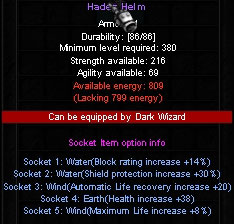
El Sistema **Socket System** es un sistema que agrega opciones multiples en los slot de los items con socket.
## **Items con ****Slot Socket****:**
| ⬇️ Dark Knight | ⬇️ Dark Lord | ⬇️ Magic Gladiator | ⬇️ Fairy Elf | ⬇️ Dark Wizard | ⬇️ Summoner |
| -------------------- | ---------------- | ------------------ | -------------------- | --------------- | ------------------ |
| Set Titan | Set Royal | Set Phantom | Set Seraphim | Set Hades | Set Eternal Wing |
| Set Brave | Absolute Scepter | Set Destroy | Set Divine | Guardian Shield | Eternal Wing Stick |
| Shield Crimson Glory | – | Rune Bastard | Dark Stinguer Bow | Imberial Staff | – |
| Flamberge Sword | – | Deadly Staff | Frost Mace | – | – |
| Sword Bracker | – | Salamandra Shield | Frost Barrier Shield | – | – |
{% hint style="info" %}
**NOTA:**\
– Los Items con Socket pueden dropear **sin ninguna opcion Socket System** o como maximo con **5 opciones Socket System.**
{% endhint %}
## 📝 Como crear Seeds?
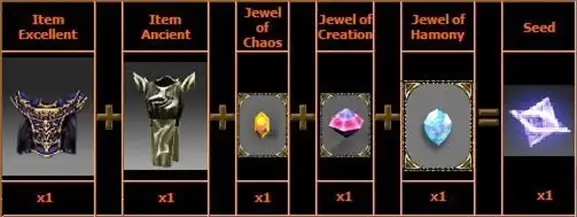
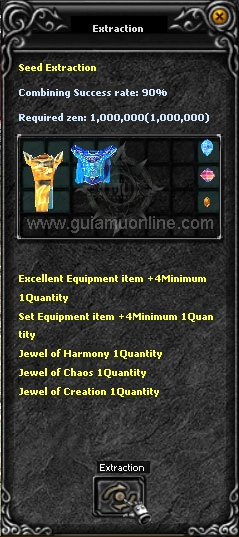
Los Seed son items que no dropean solo pueden ser creados mediante la combinacion de diferentes items hay varios tipos de Seed con diferente propiedad, la combinacion se hace en el **NPC Seed Master.**
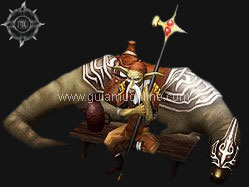
NPC Seed Master
## 📝 Requisitos para crear Seed
* **Item Excellent** min nivel +4 y +4 option.
* **Item Ancient** min. nivel +4 y +4 option.
* 1 x **Jewel of Chaos**.
* 1 x **Jewel of Creation**.
* 1 x **Jewel of Harmony**.
{% hint style="info" %}
**NOTA:**\
– El Costo en Zen para la creacion del Seed es de **1.000.000 Zen**.\
– En la combinacion puede **salir aleatoriamente cualquier tipo de Seed.**
{% endhint %}
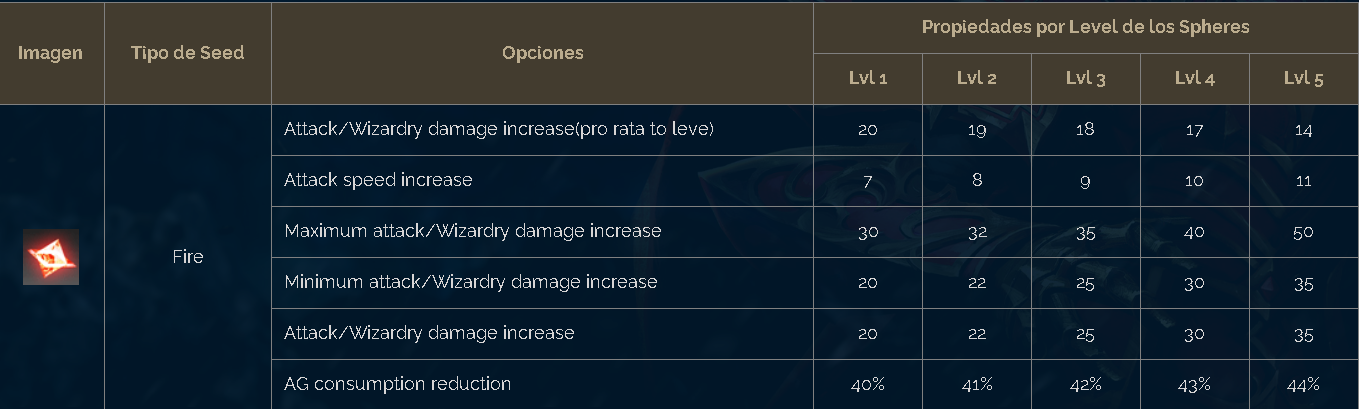
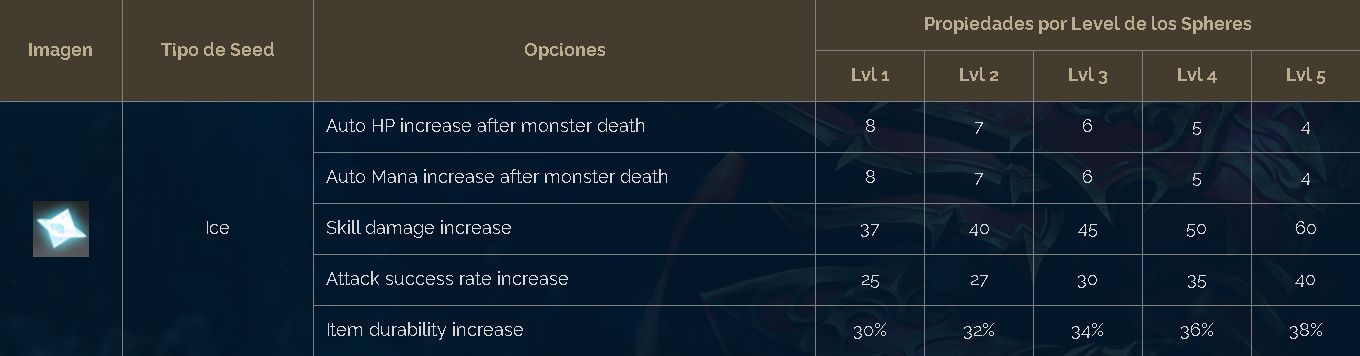
## Seed de Armas.
Seed Fire
Seed Ice
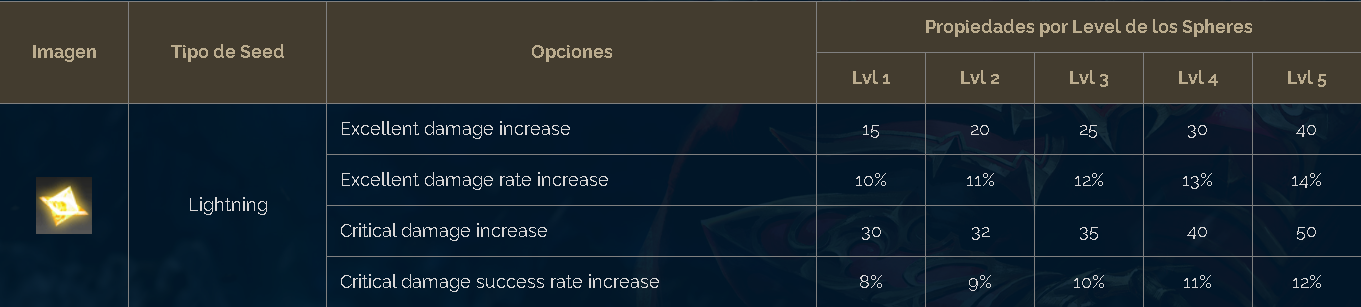
Seed Lighting
## Seeds de Sets.
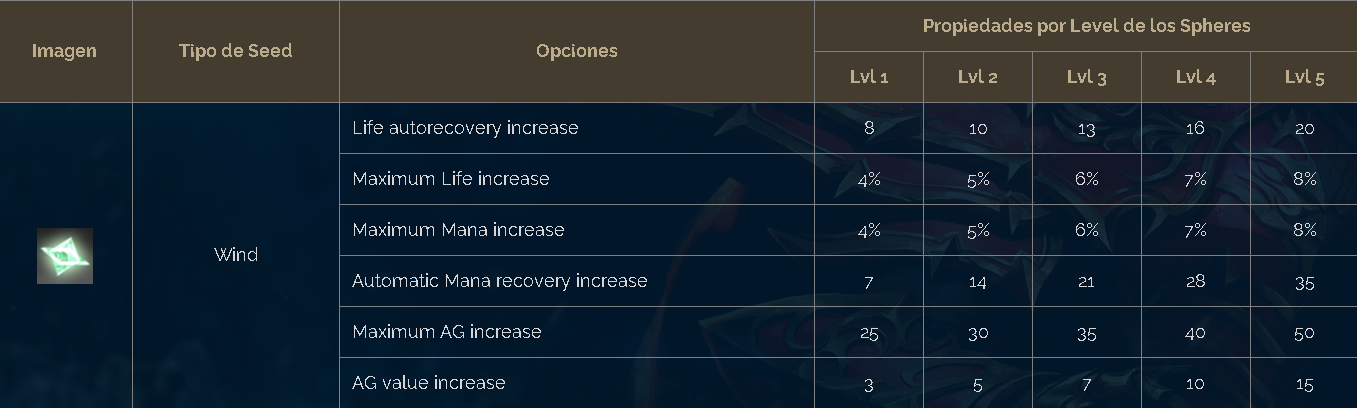
Seed Wind
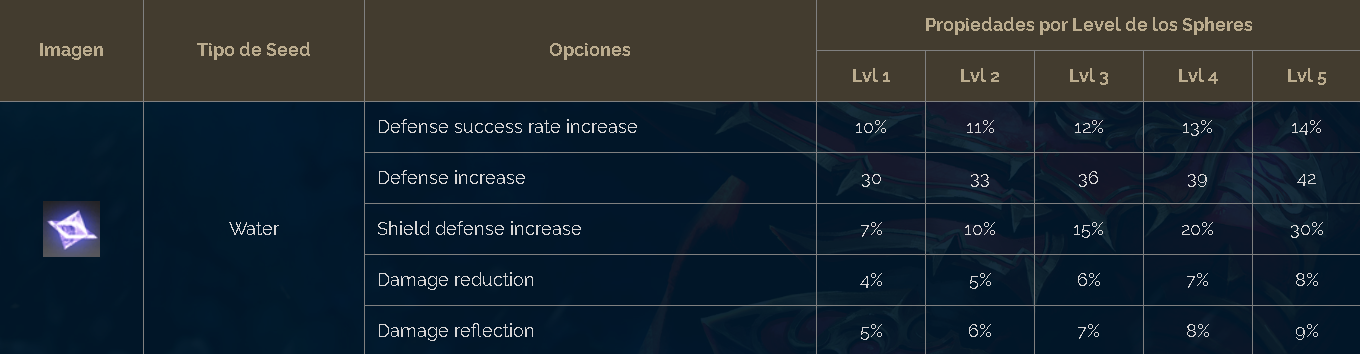
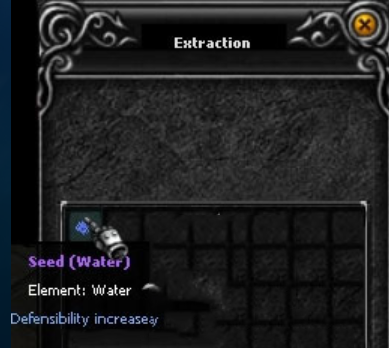
Seed Water
Seed Earth
***
## ✅ Etapa 1 - Como crear un Seed.
## Pasos para crear un Seed.
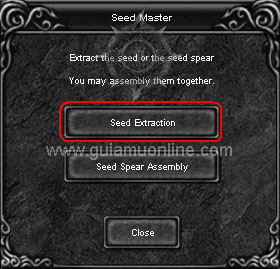
1- Ir al NPC Seed Master Ubicado en **EventMarket** y hacer click en **Seed Extraction.**
2 - Insertar los items necesarios y **Extraction.**
3- Proceso de **Creacion Finalizado.**
***
## ✅ Etapa 2 - Como crear un Seed Sphere.
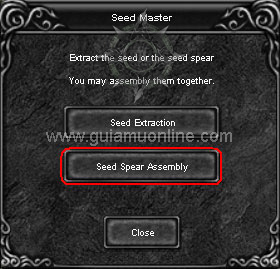
El **Seed Sphere** sirve para hacer ultimo proceso de insertado de la opcion **Socket System**, sale de la combinacion de un **Seed y un Sphere(Mono)**, la combinacion se hace en el **NPC Seed Master.**
NPC Seed Master
## 📝 Requisitos para crear Seed
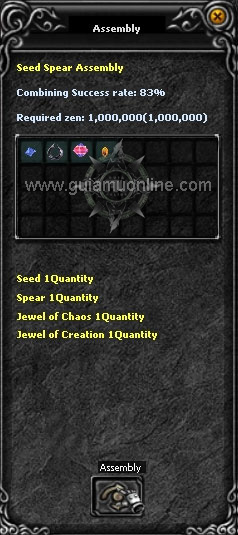
* 1 x **Seed**
* 1 x **Jewel Of Creation.**
* 1 x **Jewel of Chaos.**
* 1 x **Sphere**
Creacion de Seed Sphere
{% hint style="info" %}
**NOTA:**\
– El **Costo en Zen** para la creacion del **Seed Sphere es de 1.000.000 Zen.**\
– El **Sphere(Mono) dropea en Mounstros de Level 58 a 76.**\
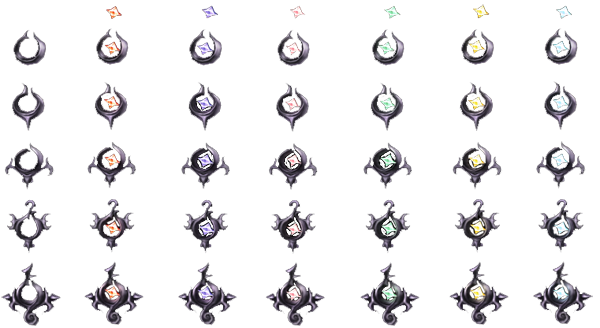
– Hay **5 Tipos de Sphere a mayor Level de Sphere** mayor opcion podra tener el **Seed Sphere.**
{% endhint %}
## Tipos de Sphere sin refinar.
## Tipos de Seed Sphere.
## Pasos para crear un Seed Sphere.
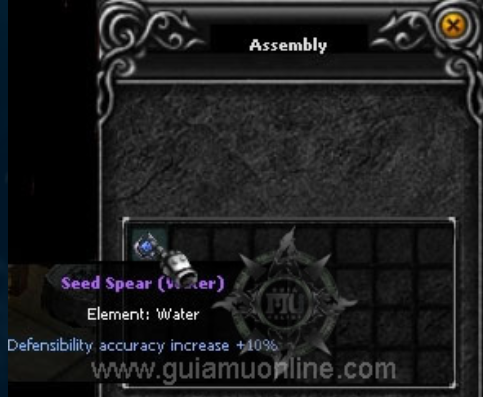
1- Ir al **NPC Seed Master** Ubicado en **EventMarket** y hacer click en **Seed Sphere Assembly**.
2 - Insertar los items necesarios y presionar en **Assembly.**
3- Proceso de **Creacion Finalizado.**
***
## ✅ Etapa 3 - Como crear un Seed Sphere.
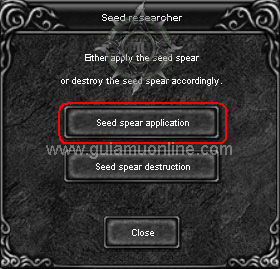
Esta es la ultima combinacion **montar un seed sphere a un item con socket**, el NPC para poder montar el seed sphere se llama **Seed Researcher.**
NPC Seed Researcher.
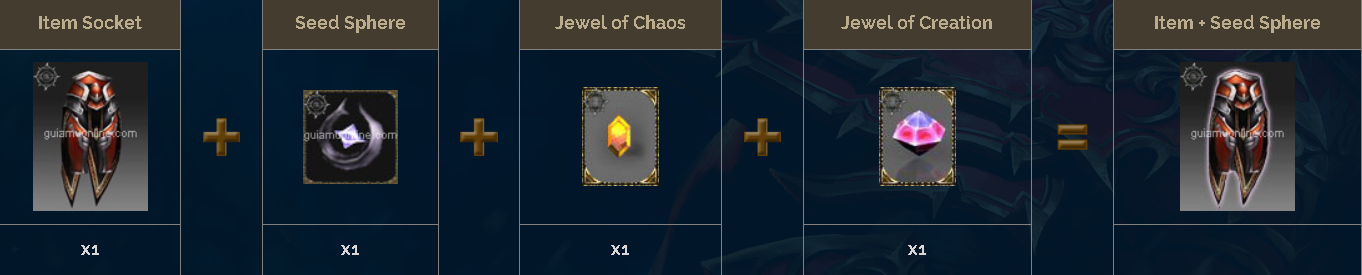
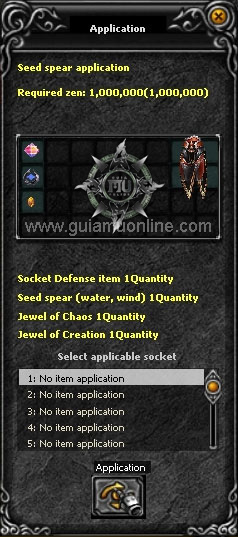
## 📝 Requisitos para agregar Socket a un item.
* **Item Socket.**
* **1 x Seed Sphere.**
* 1 x **Jewel of Chaos**.
* 1 x **Jewel of Creation**.
{% hint style="info" %}
**NOTA:**\
– Para poder usar esta opcion el Item debe contar por lo menos con un **Slot Socket System**.\
– **El Costo en Zen** para implementar la opcion Socket System es de **1.000.000 Zen.**\
– Como se explico anteriormente hay **Seed Sphere para Set y otras para armas.**
{% endhint %}
## Pasos para crear un Seed Sphere.
1- Ir al NPC Seed Master Ubicado en **EventMarket** y hacer click en **Seed Sphere Aplication.**
2 - Insertar los items necesarios, selecionar el **Slot donde se va a insertar la opcion Seed Sphere** y hacer click en **Application.**
3- Proceso de **Creacion Finalizado.**
{% hint style="warning" %}
**PARA QUITAR SPEED:**
* Se hace tambien en el **NPC Seed Researcher.**
* En el NPC tienes que seleccionar la opcion "**Seed Spear Destruction**"
* Al quitar la opcion Seed Sphere solo quita la opcion **no destruye el Item.**
* El Costo en Zen para la destrucion de la opcion Seed Sphere es de **1.000.000 Zen.**
{% endhint %}
***
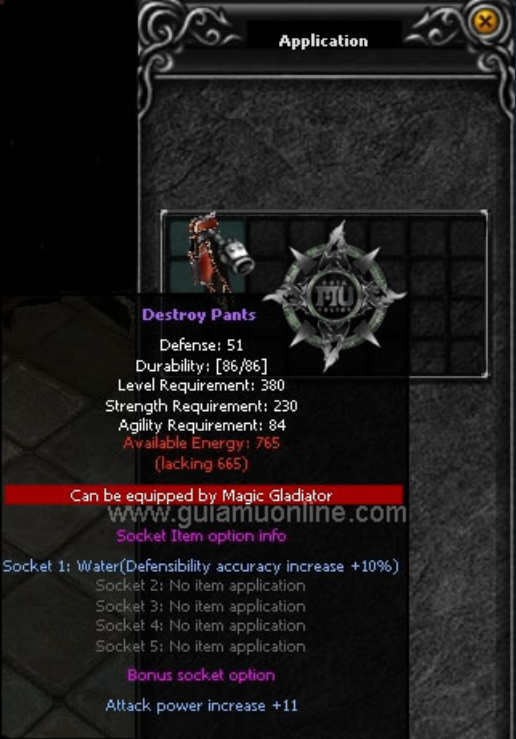
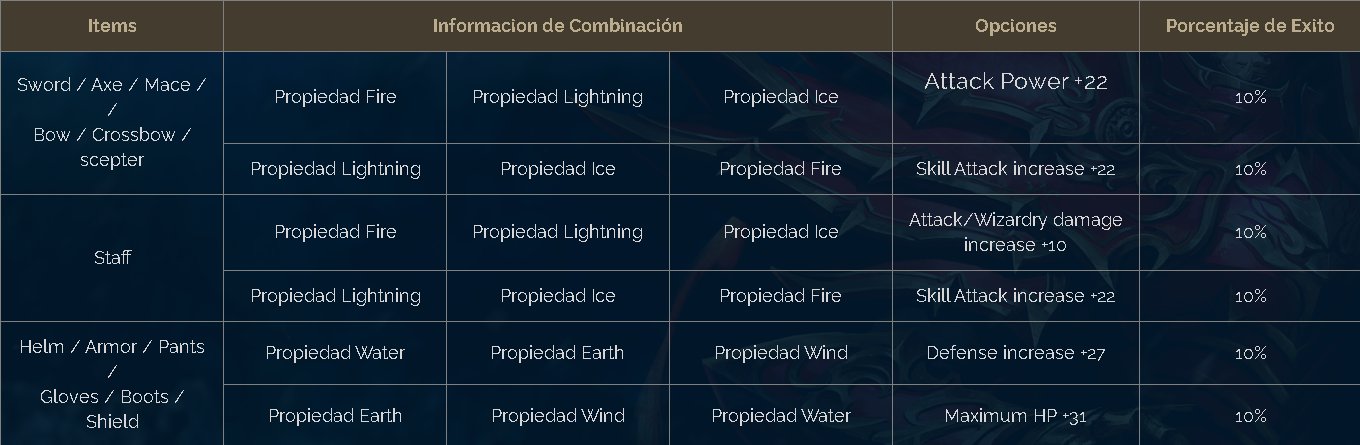
## ✅ Bonus Socket
Al insertar las 3 propiedades en forma descrita a continuacion se puede agregar aleateoriamente un **bonus Socket.**
## **Bonus Socket 1**
Puede aparecer si agregas **Seed Sphere (Mono, Di, Tri, Tetra)**
## **Bonus Socket 2**
Puede aparecer si agregas solo **Tetra.**
***
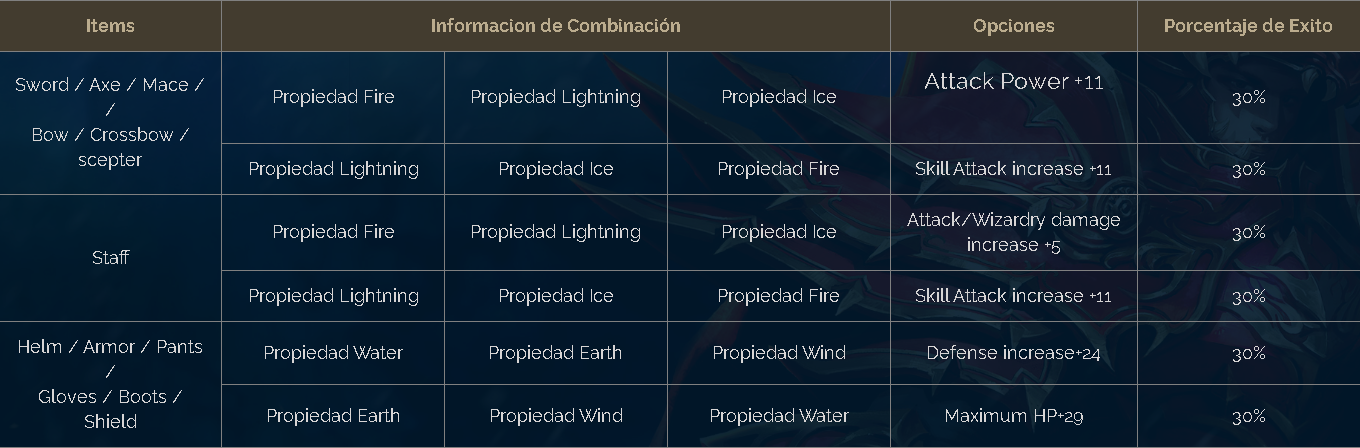
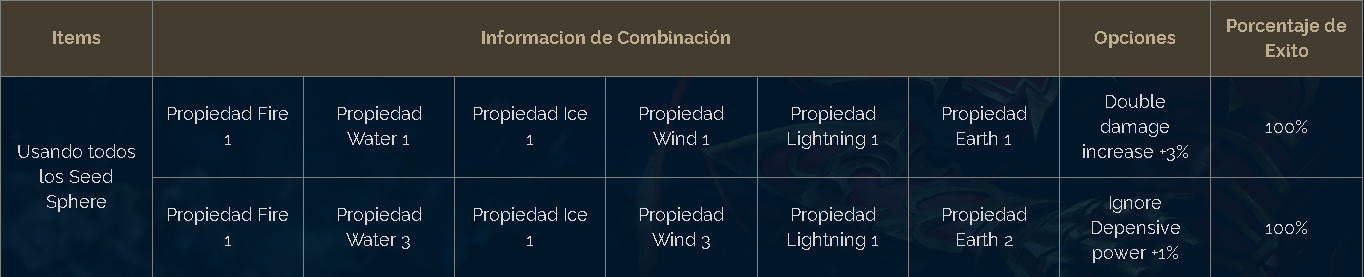
## ✅ **Socket Package Option**
Teniendo las **siguientes propiedades en tus items socket** se podra otorgar **opciones adicionales.**